'Windows Service' is a program
designed to perform specific service which is started automatically
when Windows boots and runs as long as System is up and running.
Services normally run with 'System' privilege thus enabling them to
execute higher privilege operations which otherwise cannot be
performed by normal processes. Due to these advantages, often
malware applications use services to monitor and control the
target system.
In this direction, AdvancedWinServiceManager makes it easy to
eliminate such malicious services by separating out third party services
from Windows services. By default it shows only third party services
along with more details such as Company Name, Description,
Install Date, File Path etc at one place which helps in
quickly differentiating between legitimate and malicious services. It comes
with rich features such as detecting hidden rootkit services,
exporting the service list to html based log file, displaying only
third party services etc. All these unique things make it stand apart
when compared to
'Windows Service Management Console'.
Features of AdvancedWinServiceManager
Here is the complete feature list of AdvancedWinServiceManager
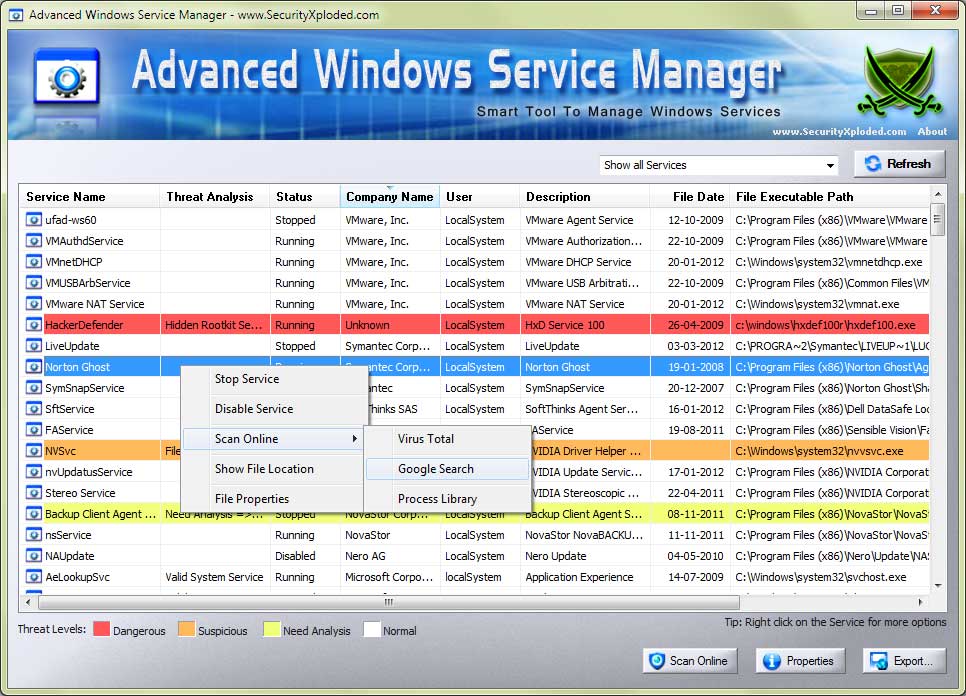
Detection of hidden Rootkit services
It can detect the services hidden by malicious Rootkit applications
using bypass hook method. Such hidden services will be shown in red
color to differentiate it from normal services.
Enhanced user interface with dynamic resize functionality.
It comes with really cool GUI interface with catchy banner. Also it
has dynamic resizing capability which makes it to adjust the screen
according to the user needs.
Arrange the services based on various parameters
It comes with sorting functionality to arrange the services based on
service name, description, status, user account, company name,
binary path, file size etc. This helps in quick searching of the
service.
Easier detection of malicious service
By default only third party services are displayed along with
detailed information which makes it easy to differentiate between
legitimate and malicious services.
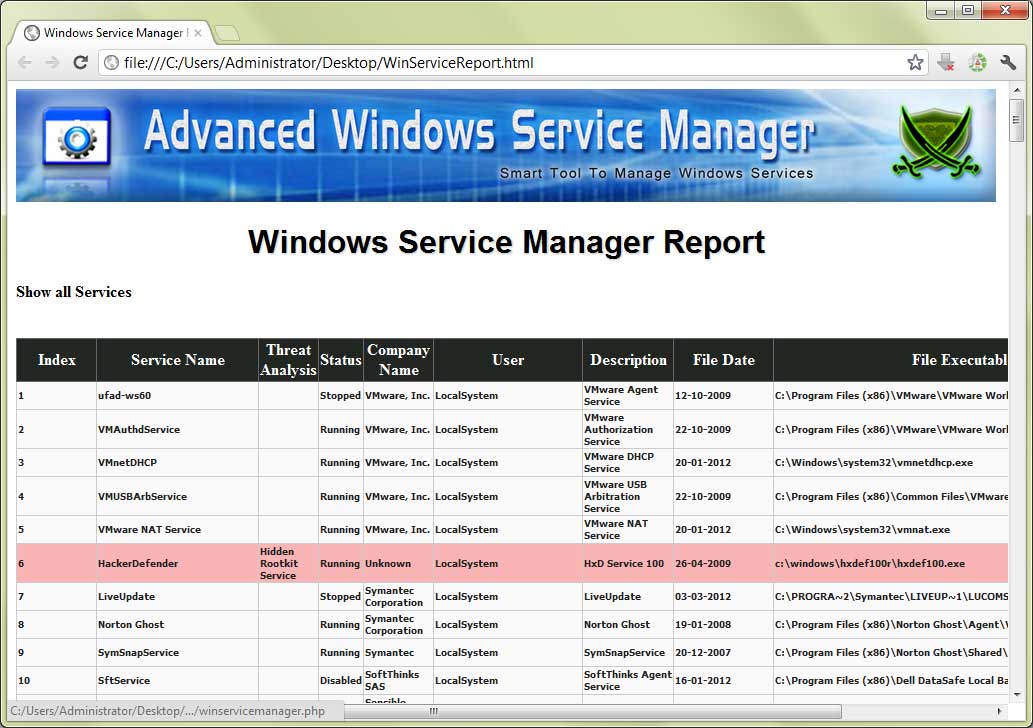
Export the services list to standard html format
'Export to File' option provides easy way to save the displayed
service list to html based log file for offline analysis.
Show services based on status and vendor.
User can view the services based on its status. For example one can
view only third party services or all running services.
Smooth and quick management of services
It provides option to start, stop, enable or disable services with
just a click.
Displays detailed information for each service
For each service following information is shown,
Service Name
Description
Company Name
Service Status
User account
File version
File Size
Install Date
Full Binary Path
Screenshots of AdvancedWinServiceManager
Screenshot 1: Showing only third party services
Screenshot 2: Hidden Rootkit service from Hacker Defender being
detected by AdvancedWinServiceManager
Screenshot 3: Arranging all running services based on Company Name
Screenshot 4: Exported service list in html format shown in
Internet Explorer.
Using AdvancedWinServiceManager
This is very simple application
which does not require any installation. Just copy the downloaded
executable file to any folder and launch it. By
default it will show only running third party services. You can
click on check boxes at the bottom to show all third party services
or show all services including built-in windows services.
Once the particular service is selected, you can use the buttons to
start/stop, enable/disable that service. Also the service list can
be reloaded by clicking on the 'Refresh' button.
History
Version 2.0.1: 17th April 2009
Release of AdvancedWinServiceManager with rich features such as
hidden Rootkit service detection, enhanced user interface, arranging
the services, exporting the service list to log file etc.
Version 1.2: 10th June 2008
User interface improvement, Vista UAC compatibility along with
bug fixes.