|
 |
|
|
|
|
|
|
|
| |
|
|

|
Stream Armor is the sophisticated tool to discover
Hidden
Alternate Data Streams (ADS) and clean them completely from
your system.
|
|
|
It's advanced auto analysis coupled with Online Threat
Verification mechanism makes it the best tool available in the
market for eradicating the evil streams.
It comes with fast multi threaded ADS scanner which can recursively scan
over entire system and quickly uncover all hidden streams. All such
discovered streams are represented using specific color patten based on
threat level which makes it easy for human eye to distinguish between
suspicious and normal streams.
It has built-in Advanced File Type Detection mechanism which examines
the content of file to accurately detect the file type of stream. This
makes it great tool in Forensic Analysis in uncovering hidden
documents/images/audio/video/database/archive files within the alternate
data streams.
Stream Armor is fully Portable software and does not require JAVA, .NET or any other components. It works on wide range of platforms starting from Windows
XP to Windows 10. |
| |
Alternate Data Stream (ADS) is the lesser known feature of Windows
NTFS file system which provides the ability to put data into existing
files and folders without affecting their functionality and size. Any
such stream associated with file/folder is not visible when viewed
through conventional utilities such as Windows Explorer or DIR command
or any other file browser tools.
It is used legitimately by Windows and
other applications to store additional information (for example summary
information) for the file. Even 'Internet Explorer' adds the stream
named 'Zone.Identifier' to every file downloaded from the internet.
Due to this hidden nature of ADS, hackers have been exploiting this
method to secretly store their Rootkit components on the compromised
system without being detected. For example, the infamous Rootkit named
'Mailbot.AZ' aka 'Backdoor.Rustock.A' used to hide its driver file into
system32 folder (C:\Windows\system32) as a stream '18467'.
In short, ADS provides easy way to store the malicious content covertly
as well as execute it directly without making even a bit of noise. Only
sophisticated tools such as StreamArmor has the ability to discover and
destroy these hidden malicious streams.
For complete details on 'Alternate Data Streams' please refer to the
following article,
'Exploring Alternate Data Streams' |
| |
- Fast, multi threaded ADS scanner to quickly and recursively scan entire computer or drive or just a folder.
- 'Snapshot View' for quick identification of selected stream and faster manual analysis.
- Option to 'Ignore Known and Zero Streams' which automatically ignores all known streams (such as Zone.Identifier) and streams with
zero size, thus greatly reducing time and effort involved in manual analysis.
- Advanced stream file type detection which analyzes internal content of file to detect the real file type rather than just
going by the file extension. Here is the list of some of the major file type categories detected by StreamArmor
- Executable File Type (EXE, DLL, SYS, COM, MSI, CLASS)
- Archive File Type (ZIP, RAR, TAR, GZ, COM)
- Audio File Type (MP3, WAV, RA, RM, WMA, M3U)
- Video File Type (WMV, AVI, MPEG, MP4, SWF, DIVX, FLV,
DAT, VOB, MOV)
- Database Type (MS ACCESS)
- Document Type (PDF, XML, DOC, RTF, All MS Office old & new formats)
- Sophisticated 'Auto Threat Analysis' based on heuristic technology for identifying anomaly in the discovered streams based on
the characteristics and patterns.
- 'Online Threat Verification' to check for presence of Virus or Rootkit in the suspicious stream using
any of the following prominent online websites
-
VirusTotal (www.VirusTotal.com)
-
ThreatExpert (www.ThreatExpert.com)
-
MalwareHash (www.MalwareHash.com)
- Representation of streams using color pattern based on threat level makes it easy and fast for human eye to distinguish between
suspicious streams from normal ones.
- Parallel analysis of discovered streams during the scanning process, allows user to start
with analysis immediately without waiting for entire scanning operation to be completed.
- View the entire content of selected stream using the configured third party application. In fact user can configure different
applications for normal & executable stream file.
- Save the selected stream file content to a disk, or USB drive or DVD for further
analysis.
- Delete the selected alternate data stream (ADS) from its base file or folder.
- Execute/Run the selected executable stream file for analyzing
its malicious nature in virtual environments such as VMWare.
- Dynamic performance tuning mechanism by adjusting the ADS scan thread count
[only for advanced users].
- Sort feature to arrange the scanned streams based on its name/threat level/content type/size.
- Export
the entire list of discovered streams to a disk file in HTML format for offline analysis.
|
| |
|
| Though StreamArmor is a Portable tool, it comes with
Installer so that you can install it locally on your system for regular usage. This
installer has intuitive wizard which
guides you through series of steps in completion of installation. |
|
| At any point of time, you can uninstall the product using the
Uninstaller located at following location (by default) |
|
[Windows 32 bit]
C:\Program Files\SecurityXploded\StreamArmor
[Windows 64 bit]
C:\Program Files
(x86)\SecurityXploded\StreamArmor |
| |
|
|
|
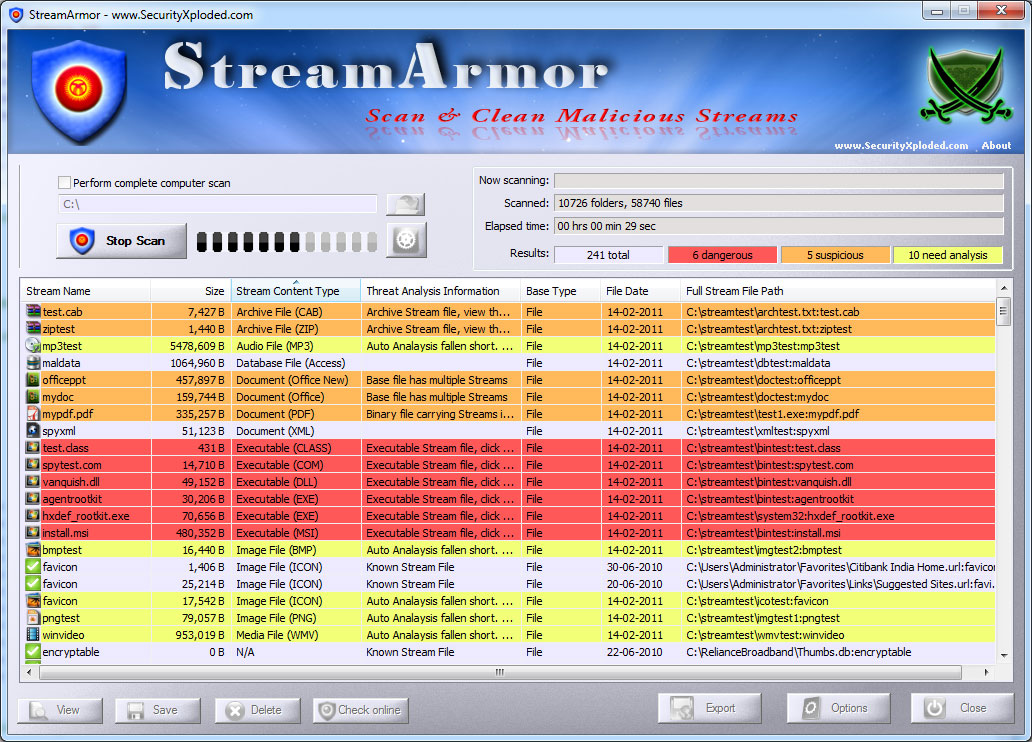
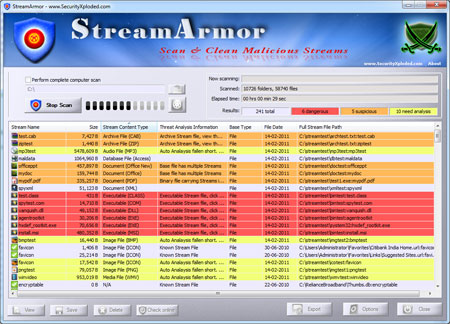
| Screenshot 1: StreamArmor detecting Rootkits such as
HackerDefender, Agent.X, Vanquish etc in addition to other hidden
streams. |
|
 |
|
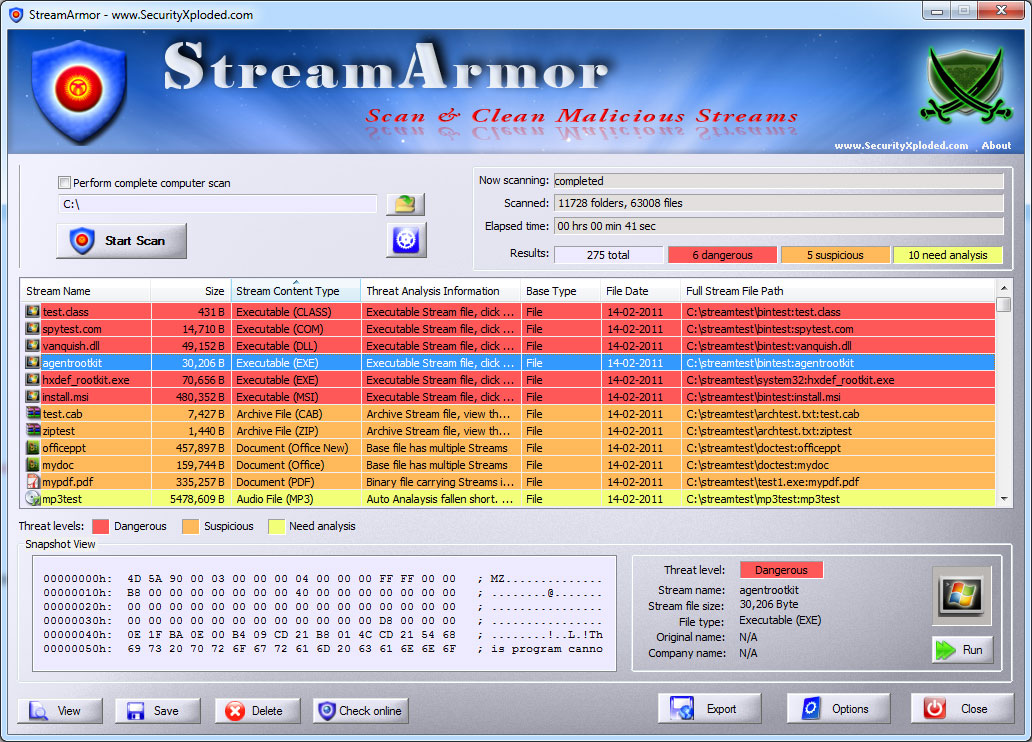
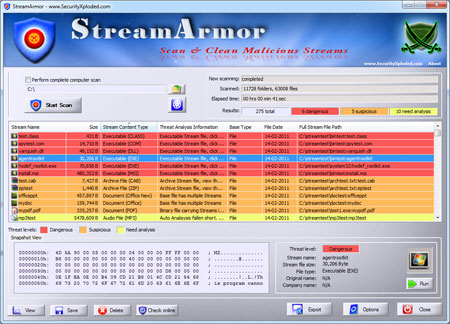
| Screenshot 2: StreamArmor displaying the snapshot view of
the selected Rootkit stream file which clearly shows that its a
executable file (starting with "MZ"). |
|
 |
|
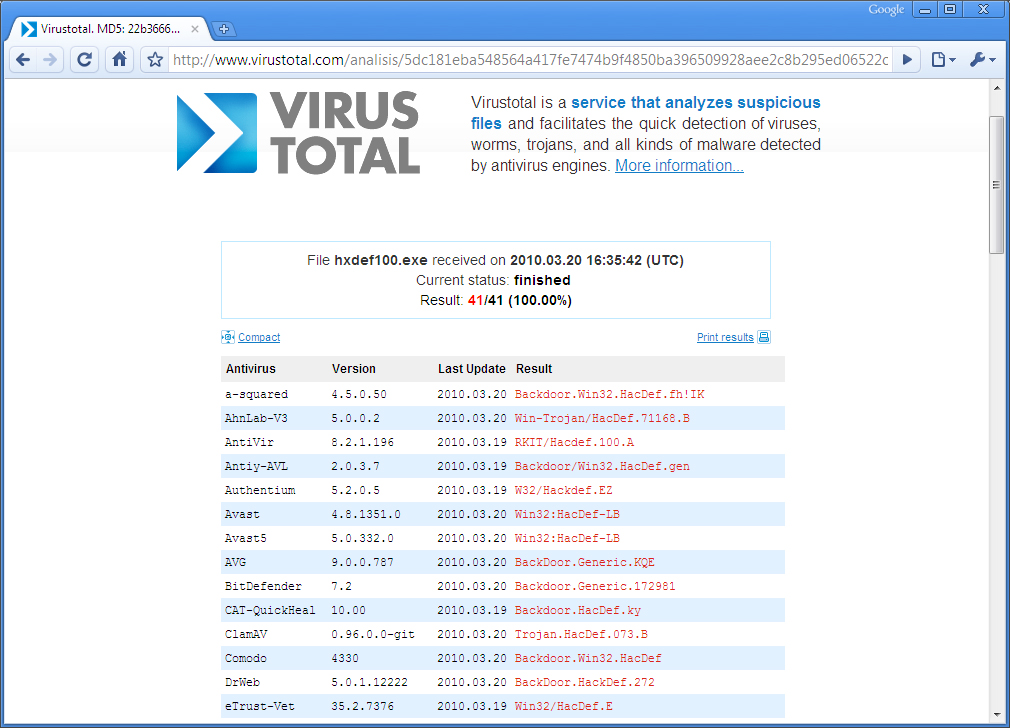
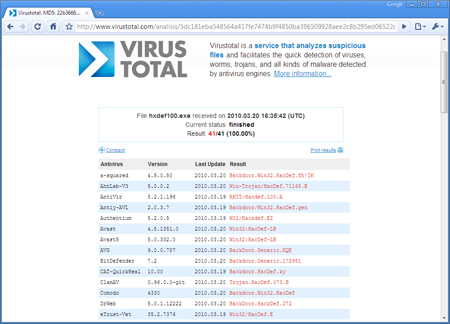
| Screenshot 3: Online threat verification of uncovered 'HackerDefender' Rootkit stream file using VirusTotal.com. |
|
 |
|
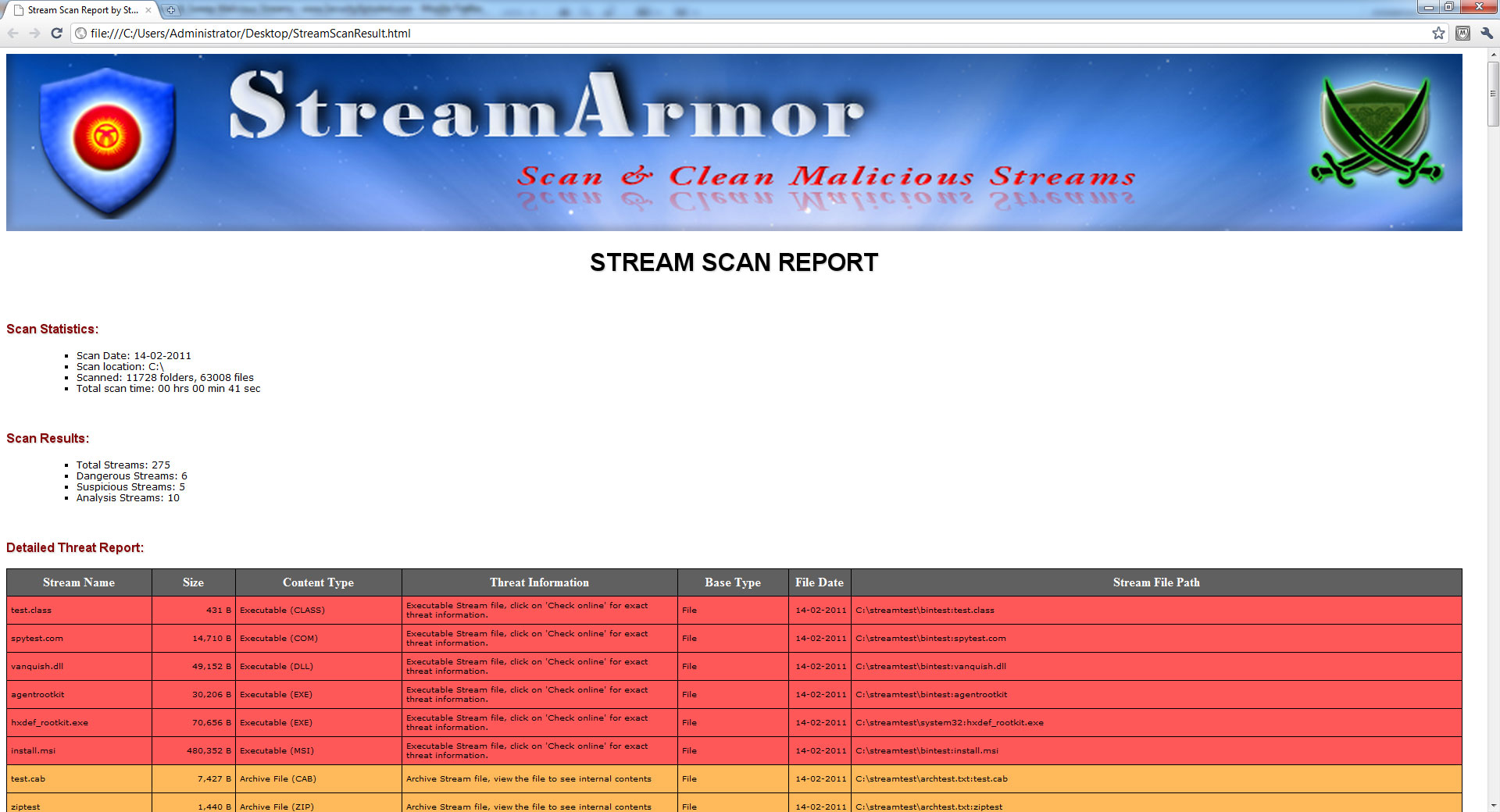
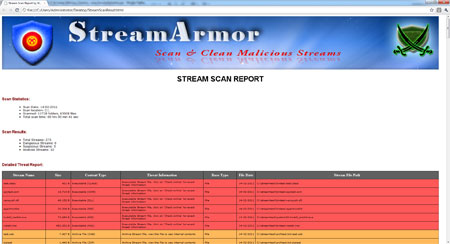
| Screenshot 4: HTML Report generated by
Stream Armor showing scan summary along with detailed Threat analysis. |
|
 |
| |
| |
|
| Fixed the minor bug in checking OS version on Windows 10. |
| |
| Mega release to support for windows 10 version. |
| |
| Support for detecting Dropbox related streams. Also include GUI improvements. |
| |
| Now supports Windows 8 platform. Quick Drag & Drop of scan folder. |
| |
| Right click menu for quick actions, enhanced HTML report, improved user interface with cool banner. |
| |
| Improved user interface, New version detector & Installer. |
| |
| Fixed autoanalysis related issues on Non-English systems,
Changes to VirusTotal verification and other usability related
changes. |
| |
| First public release of StreamArmor |
| |
|
| |
|
|
|
|
|
|
|
|
| |
| |
| |
| |
| |
| |
| |
| |
| |
| |