SecurityXploded.com
Mailing List Join us on Google+ Twitter facebook facebook
TwitterPasswordDecryptor: Twitter Password Recovery Software | www.SecurityXploded.com
 
 
TwitterPasswordDecryptor
Certification from Softoxi.com Editor team

"TwitterPasswordDecryptor - another great tool from SecurityXploded.com. And as usual, also free, handy and smart. TwitterPasswordDecryptor offers a really simple and reliable way to recover Twitter account passwords. And it works like a charm. Highly-recommended."


See Also


Contents
 
 
About Twitter Password Decryptor
Twitter Password Decryptor is the FREE software to instantly recover Twitter account passwords stored by popular web browsers.
Most web browsers store the login passwords for visited websites so that user don't have to remember and enter the password every time. Each of these web browsers use their own proprietary encryption mechanism to store the login passwords including Twitter account passwords.TwitterPasswordDecryptor automatically crawls through each of these browsers and instantly recovers all of the stored Twitter passwords.

It presents both GUI interface as well as command line version, the later is more helpful for Penetration testers in their work. Apart from normal users who can use it to recover their lost password, it can come in handy for Forensic officials who can get hold of any stored Twitter account passwords and then use that Twitter profile information to further extend their investigation.

It is fully Portable software which can be directly run anywhere without installing locally. It also comes with Installer for those who wants to install it locally and use it on regular basis. It works on wide range of platforms starting from Windows XP to latest operating system Windows 7.


Features of TwitterPasswordDecryptor
TwitterPasswordDecryptor currently supports recovering of the stored Twitter account password from following popular Internet browsers.
  • Internet Explorer
  • Firefox
  • Google Chrome
  • Opera Browser
  • Apple Safari
  • Flock Browser
Here are the highlights of top features of TwitterPasswordDecryptor which makes it stand apart from other similar tools including commercial ones.
  •  Instantly decrypt and recover stored encrypted Twitter account password from Popular Web browsers.

  •  Comes with both GUI interface as well as Command-line version.

  •  Automatically discovers the supported applications from their respective install location and recovers the password instantly.

  •  Sort feature to arrange the displayed password list by username and password which makes it easy to search through 100's of entries.

  •  Save the recovered Twitter password list to HTML/XML/Text file for transferring to other system or for future use.

  •  Easier and faster to use with its enhanced user friendly interface.

  •  It comes with Installer for helping you in local Installation & Uninstallation.


How it Works?
Each of the above mentioned Web browsers use their own encrypted format and storage location to securely store the Twitter account password. TwitterPasswordDecryptor uses different techniques to decrypt these passwords and present them in the clear text.

twitter exposed article


Here is the research article that throws light on the internal password storage and encryption mechanisms used for storing the Twitter account password by these Applications.. It also shows how to recover Twitter passwords from each of such applications.

 'Exposing the Twitter Password Secrets'


Installation & Uninstallation
Though TwitterPasswordDecryptor is a Portable software, it comes with Installer so that you can install it locally on your system for regular usage. This installer has intuitive wizard (as shown in the screenshot below) which guides you through series of steps in completion of installation. At any point of time you can use Uninstaller to remove the software from the system.
 
TwitterPasswordDecryptor Installer
 
At any point of time, you can uninstall the product using the Uninstaller located at following location (by default)
 
[Windows 32 bit]
C:\Program Files\SecurityXploded\TwitterPasswordDecryptor

[Windows 64 bit]
C:\Program Files (x86)\SecurityXploded\TwitterPasswordDecryptor


Using TwitterPasswordDecryptor
TwitterPasswordDecryptor is easy to use with its simple GUI interface.  For advanced users & Penetration testers, it also comes with command line interace.

Here are the brief usage details for both GUI and command line version.
 
Using GUI Version
  •  Launch TwitterPasswordDecryptor on your system
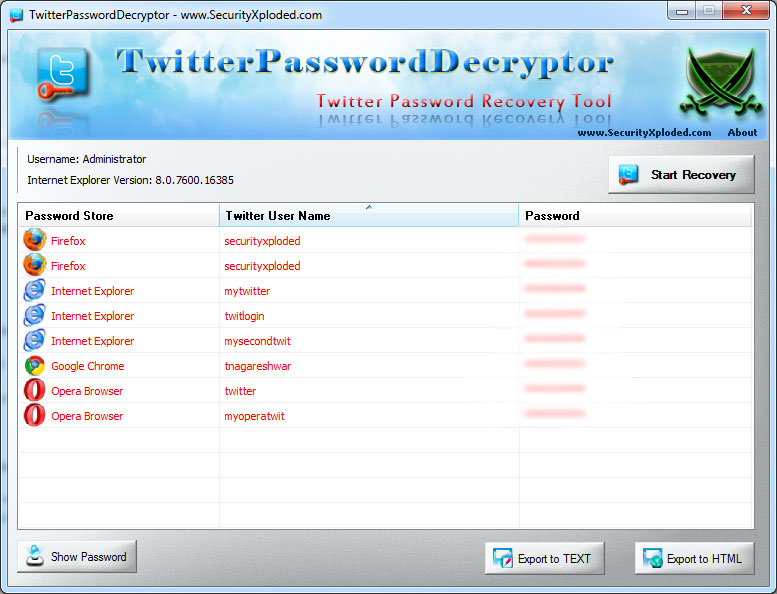
  •  Next click on 'Start Recovery' button and all stored passwords from various applications will be displayed in the list as shown in screenshot 1 below.
  •  By default passwords are not shown for security reasons as it is sensitive data. However you can click on'Show Password' button at the bottom to view these passwords.
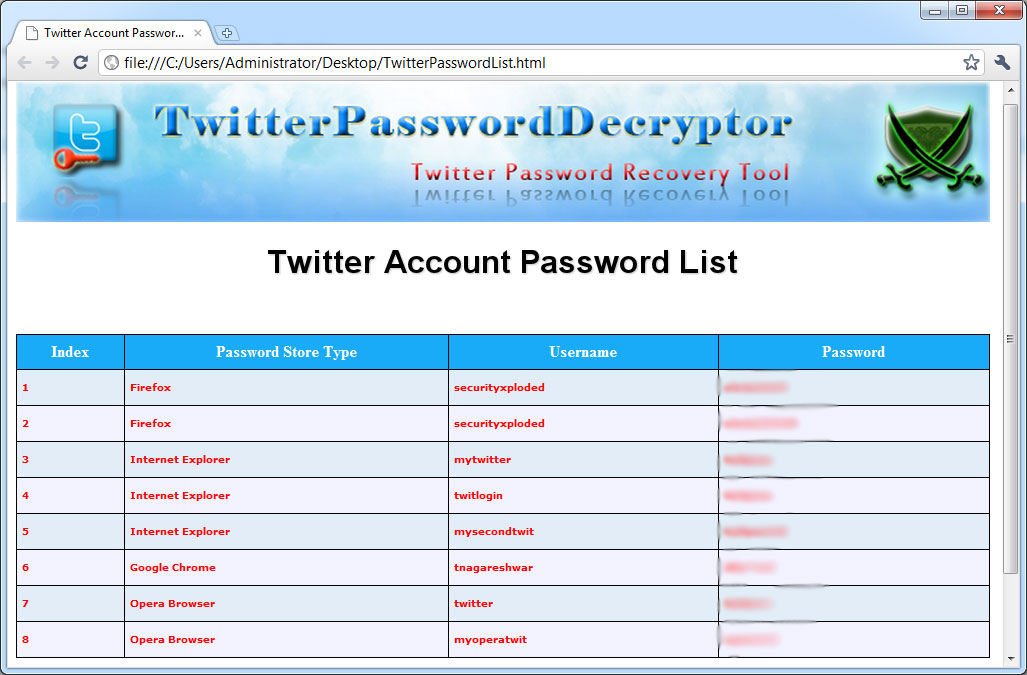
  •  Finally you can save all recovered password list to HTML/XML/Text file by clicking on 'Export' button and then select the type of file from the drop down box of 'Save File Dialog'.
 
Using Command-line Version
 
Here is the typical usage of command line version
 
TwitterPasswordDecryptor.exe  "<output_file path>"
 
Here are some of the examples

//Writes recovered password to text file in current directory
TwitterPasswordDecryptor.exe  output.txt

//Writes recovered password to HTML file in current directory
TwitterPasswordDecryptor.exe  output.html

//Writes recovered password to XML file in current directory
TwitterPasswordDecryptor.exe  output.xml

//Writes recovered password to TEXT file
TwitterPasswordDecryptor.exe  "c:\my test\passlist"
 
 
It automatically detects the mode (HTML or XML or Text) by using the extension of the specified file (html or xml or txt). By default (or if no extension is specified) it uses the TEXT mode. For more examples refer to Screenshot 2 below.


Screenshots
Here are the screenshots of TwitterPasswordDecryptor
 
Screenshot 1: TwitterPasswordDecryptor showing the recovered Twitter password accounts from various applications.
 
TwitterPasswordDecryptor showing recovered passwords
 
Screenshot 2:  Command line usage of TwitterPasswordDecryptor showing various examples.
 
command line usage
 
Screenshot 3:  Exported Twitter account password list in HTML format by TwitterPasswordDecryptor.
 
Exported Twitter Accounts to HTML


Release History
Version 2.0 :  15th Jan 2012
Generate report in XML format from both GUI as well as Command-line mode.
 
Version 1.6 :  31st Mar 2011
Added links for PasswordForensics.com in about section and few bug fixes
 
Version 1.5 :  12th Jan 2011
Support for password recovery from Apple Safari, Flock browsers. Fixes for Chrome, Firefox.
 
Version 1.0 :  30th Nov 2010
First public release of TwitterPasswordDecryptor


Disclaimer
TwitterPasswordDecryptor is designed with a good purpose to help users to recover their lost Twitter account password. Note that only authorized user can recover their respective passwords and it is not possible to recover other user's password on multi-user system unless the user have proper credentials.

Like any tool its use either good or bad, depends upon the user who uses it. However author is not responsible for any damage caused due to misuse of this tool.
 
For more details, read our complete License & Disclaimer Policy.


Download
  FREE Download TwitterPasswordDecryptor 2.0

License  : Freeware
Platform : Windows XP, 2003, Vista, Win7

Win 7 Compatible


See Also