|
| Xfire Password Decryptor
Version: 3.0
|
|
|
|
|
|
|
|
|
|
|
| |
|

|
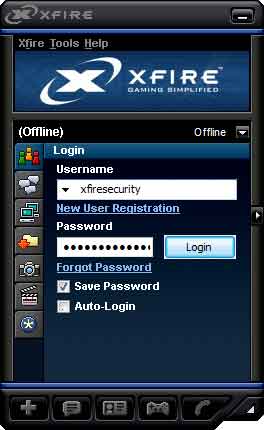
Xfire Password Decryptor is the FREE software to instantly recover login passwords from Xfire Gaming Messenger. |
|
|
Xfire is a free tool that automatically keeps track of when and where gamers are playing games online with
more than million members.
Xfire eliminates the hassles of running
multiple programs like IRC, instant messengers to keep track of
their friends. Xfire Password Decryptor helps in quickly recovering
all the stored passwords by Xfire. |
|
 |
|
You
can copy the configuration file (Xfireuser.ini) from the compromised
system to local system and then use it to recover all the passwords
at your ease.
It is very easy to use and useful for penetration testers as well as forensic investigrators.
Xfire Password Decryptor works on most of
the Windows platforms starting from Windows XP to latest operating
system, Windows 10. |
| |
- Instantly decrypt and recover stored login passwords from
Xfire
- Recover passwords from local as well as remote system
- Recover password of any length and
complexity
- Save the recovered password list to HTML/XML/TEXT/CSV file
- Easier and faster to use with its user
friendly GUI interface
- Support for local Installation and uninstallation of the
software
|
| |
|
| It comes with simple Instaler that helps you to install it locally
on your system for regular usage. It has intuitive setup wizard which guides you through series of steps
in completion of installation. |
|
| At any point of time, you can uninstall the product using the
Uninstaller located at following location (by default) |
|
[Windows 32 bit]
C:\Program Files\SecurityXploded\XfirePasswordDecryptor
[Windows 64 bit]
C:\Program Files
(x86)\SecurityXploded\XfirePasswordDecryptor |
| |
| |
|
|
Xfire Password Decryptor is easy to use with its simple GUI interface. |
Here are the brief usage details
- Launch XfirePasswordDecryptor on your system after
the installation.
- Select the 'Xfire Settings' file (XfireUser.ini).
Typically found at 'C:\Users\Administrator\AppData\Roaming\Xfire'.
(Vista/Win7)
- Next click on 'Start Recovery'
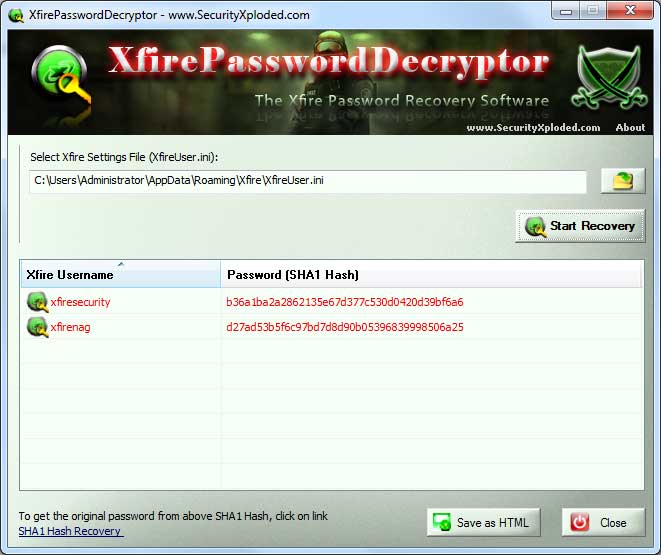
button. Instantly all the stored Xfire passwords will be recovered & displayed as shown in screenshot 1
below.
- Finally you can save all recovered password list to HTML/XML/Text/CSV file by clicking on 'Export' button and then select the type
of file from the drop down box of 'Save File Dialog'.
|
|
|
You can also copy the Xfire settings file (XfireUser.ini) file from remote system to your local
system and then use XfirePasswordDecryptor to recover the
passwords at your ease. Note that Xfire stores only SHA1 hash of
the password instead of original password. Hence to recover original
password, you need to follow 'SHA1 Hash Recovery' methods mentioned
below. |
|
|
|
|
|
|
Xfire does not store the password directly. Instead it stores
the encrypted SHA1 hash (enc(SHA1(password))) of the password to
keep it more secure. In fact Xfire computes SHA1 hash of
username+password+"UltimateArena" [ i.e
SHA1(<username><password>UltimateArena) ].
Xfire Password Decryptor decrypts the encryption layer around the
password hash and gives you SHA1 hash of the password. Now to
get back the original password from this recovered SHA1 hash you
can use following techniques
|
|
|
|
Here are some of good links for FREE online SHA1 hash password
recovery. You can submit recovered SHA1 hash from
XfirePasswordDecryptor and get the original password |
|
|
|
|
|
As the original hash input text is very long
(username+password+UltimateArena), it is difficult to get
recover the password from above Online Hash recovery technique.
In such cases you can try our Dictionary based Hash Kracker tool. |
|
|
|
If you can play with scripts then you can tweak this
"SHA1 Cracker
script" to try out custom Xfire password recovery operation
(username+password+UltimateArena). If you have succeeded then you can
publish your script here so that others find it userful. |
|
|
|
|
|
| Screenshot 1: Xfire Password Decryptor is showing the
recovered Xfire login passwords. |
|
 |
|
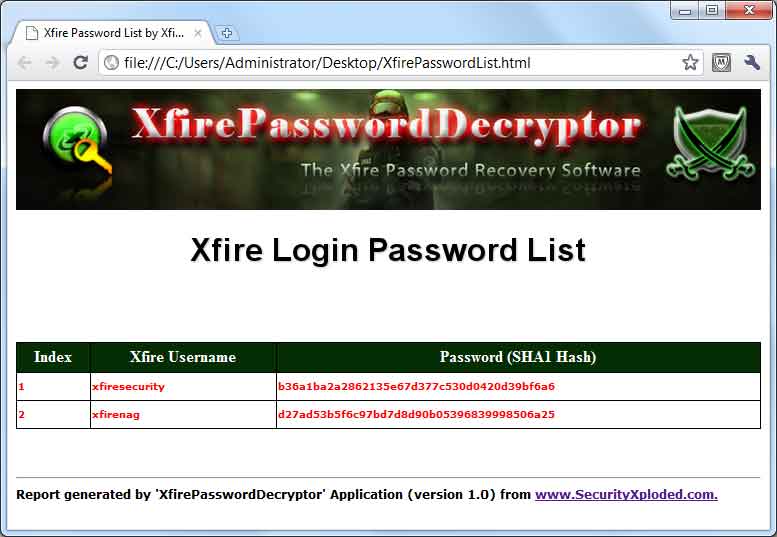
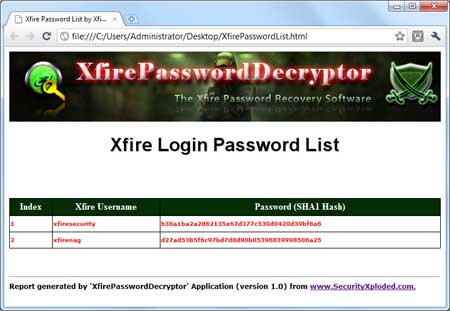
| Screenshot 2: Report of recovered
Xfire passwords in HTML format. |
|
 |
| |
| |
|
| Major 2017 edition with support for recovering passwords from Xfire Messenger on Windows 10. Also includes new Installer. |
| |
| New feature to create password recovery report in CSV (Comma-Seperated Values) File Format. Also includes improved GUI changes. |
| |
| Support for quick Drag & Drop XFire Settings file. Fix for refresh screen bug and version changes. |
| |
| Support for generating password recovery report in XML/TEXT format. Improved user interface with new banner. |
| |
| First public release of XfirePasswordDecryptor |
| |
|
| |
|
| Special Thanks to
"Luigi Auriemma" fo for his original work on XFire password
decryption. We have just made it more beautiful for all
those Xfire fans! |
| |
| |
|
| XfirePasswordDecryptor is not a hacking tool as it can recover only
your stored passwords. It cannot recover the passwords for other users
unless you have right credentials. Like any tool its use either good or
bad, depends upon the user who uses it. However Author or
SecurityXploded is not
responsible for any damage caused due to misuse of this tool.
Read complete License & Disclaimer terms
here. |
| |
| |
|
|
|
|
|
|
|
|
|
|
|