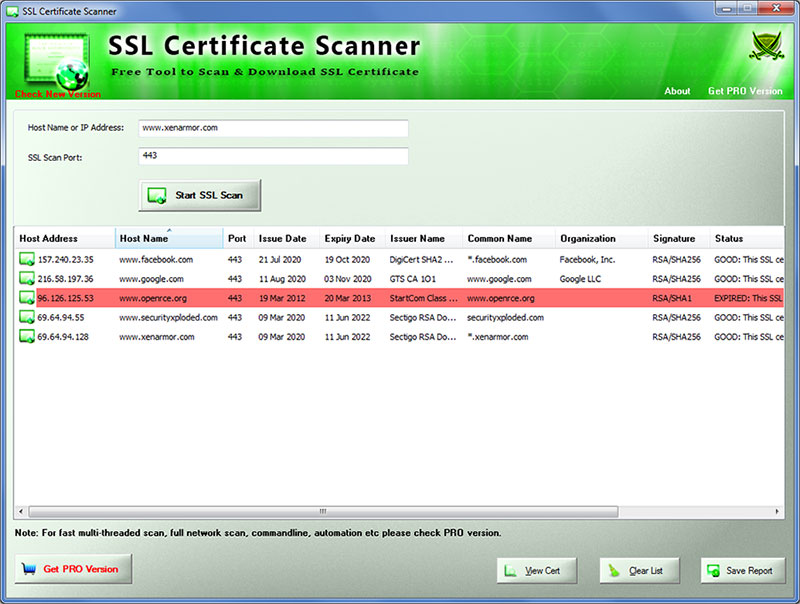
| Mega 2022 release supporting new Windows 11 platform. Now displays Certificate Serial Number in the list & all reports. Fine tuned Timeout values for high speed scan. Updated with latest SSL/TLS Cipher Suites. Fixed receive buffer size issue with ssl certificate retrieval. |
| |
| Major release with important update for SSL certificate retrieval from TLS v1.2 server. Also enhanced and enlarged GUI interface. |
| |
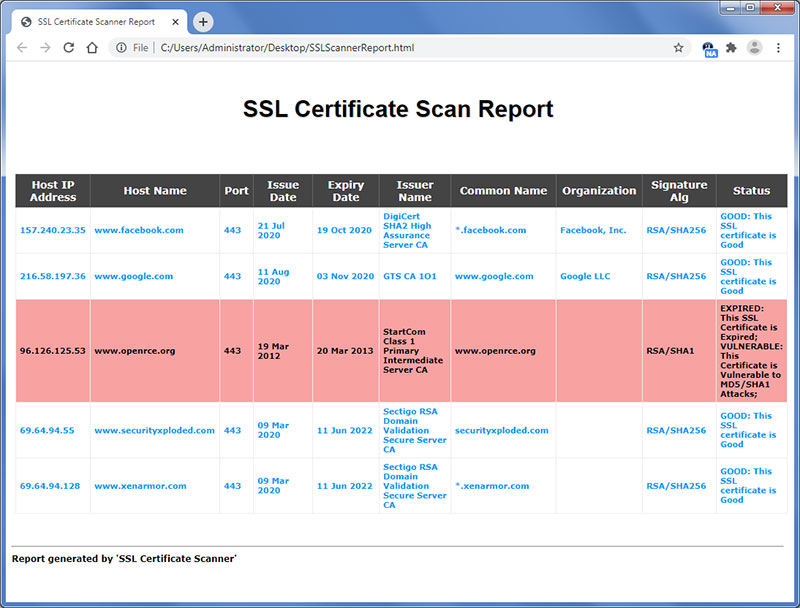
| Mega 2020 edition with display of certificate organization, improved SSL scan report and few bug fixes. |
| |
| Fixed issue with longer SSL certificate expiry date. |
| |
| Release includes major improvements in SSL certificate scanning features and enhanced HTML report |
| |
| Major release with support for SSL certificate retrieval from older TLS 1.0 or 1.1 based SSL servers. |
| |
| Mega 2019 Edition with support for 200+ new SSL certificates, Scan Domain with SNI feature, perform online SSL analysis & many more enhancements. |
| |
| Fixed few minor bugs. |
| |
| Release includes SSL Scanning performance & GUI improvements. |
| |
| Major 2018 Release with mega features like SSL Certificate Threat Analysis, Color based Display, Addition of Host Name, Issuer Name, Signature etc to List, Right click context menu, Improved SSL Scan Report. |
| |
| Mega 2017 edition supporting 130+ Cipher Suites |
| |
| Major release feauring new GUI enhancements. Also integrated new installer for simple installation & un-installation. |
| |
| Mega 2016 release with support for new Windows 10 version. Also improved GUI interface with new banner and icon. |
| |
| Generate SSL Certificate Scanner Report in XML and TEXT format (in addition to HTML) |
| |
| Support for generating SSL Certificate Scanner report in HTML format. |
| |
| Minor performance improvements. Fixed the screen refresh problem after the application gets in the background. |
| |
| Added feature to automatically remember and restore user settings. |
| |
| Right click context menu to quickly copy the scanned certificate information. Minor UI improvements. |
| |
| Displays SSL Port number in the scanner SSL certificate list. Few minor UI changes and bug fixes. |
| |
| Now you can manually specify the SSL Port number. Useful when your SSL service is running on non-standard port. Displays message box on completion. Improved banner. |
| |
| Added support for entering hostname as well as IP address. Now you
can view the certificate by clicking on 'view cert' button or simply
double clicking on the certificate entry. |
| |
| Updated information about Enterprise Edition, Fixed few bugs. |
| |
| Integrated 'Setup Wizard' for smooth local Installation and Uninstallation. Auto Update Feature to check for new versions. |
| |
| First public release of SSL Certificate Scanner. |
| |