|
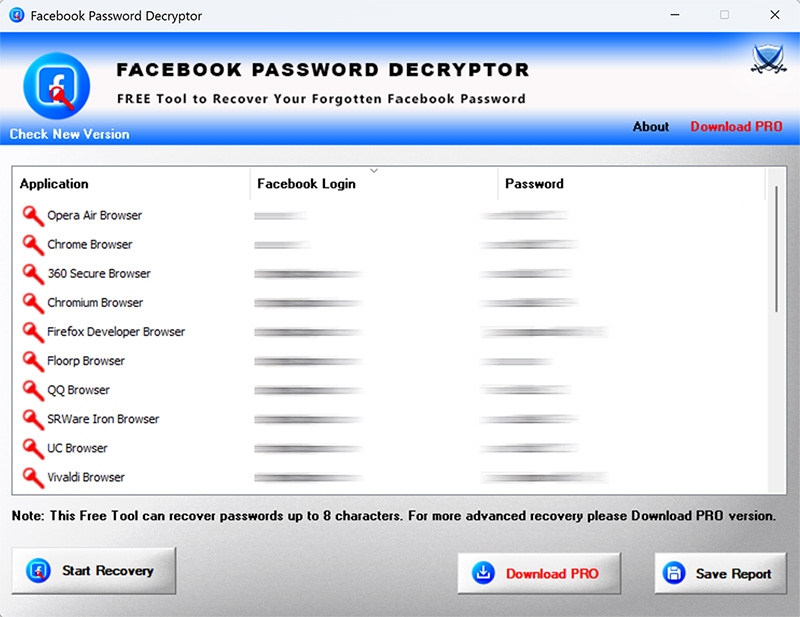
New 2026 release supporting Windows 11 and Facebook password recovery from 50+ browsers. Support v20 encryption based password recovery from all new Chromium based browsers. Support Firefox v140+ with new NSS crypto library. Enhanced GUI interface & improved HTML report.
|
| |
| Mega 2020 release supporting Facebook password recovery from 30+ browsers including Microsoft Edge, Coc Coc, Comodo, Epic, Chedot, CCleaner browser etc. Also supports new master key based password recovery from latest Chrome browser (v80.0) |
| |
| Improved Facebook password recovery from all profiles of Firefox & Chrome. |
| |
| Major revision with support for recovering Facebook passwords from IE browser without history. Also fixed false antivirus alerts. |
| |
| Added improvements & fixes for Facebook password recovery from Firefox |
| |
| Support for recovery of Facebook login passwords from ALL profiles of Chrome & Firefox browser. |
| |
| Major 2019 release with support for Facebook password recovery from new Brave browser. |
| |
| Updated Facebook password recovery from major browsers. |
| |
| Fixed issue with antivirus false positive. |
| |
| Mega 2018 release to support Master Password and Facebook Password Recovery from Firefox's new crypto database |
| |
| Major edition supporting Facebook login password recovery from latest version of Firefox (both 32-bit & 64-bit) |
| |
| Major 2017 release for recovering Facebook password latest version of top browsers. |
| |
| Major edition with feature enhancements to recover your facebook password from browsers like Microsoft Edge, Opera, UC, IE etc. Also added new Installer for simple installation & un-installation |
| |
| Mega release with support for facebook password recovery from new browsers like UC, Torch etc. Also integrated new installer design. |
| |
| Support for Facebook password recovery from latest version of all major browsers. |
| |
| Resolved minor false positive issues with anti-virus solutions. |
| |
| Mega release with support for latest Windows 10 version. Also fixed the sizing problem with higher resolution computers. |
| |
| New updates to Installer to dynamically download latest version |
| |
| Fixed few minor bugs in Facebook Password Recovery from browsers. |
| |
| Mega release with a support to recover stored Facebook passwords from new Firefox login file 'logins.json' starting with version 32 |
| |
| Integrated Uninstaller into Windows Add/Remove Programs. |
| |
| Fixed few minor bugs in Facebook password recovery operation. |
| |
| Removed false positive with various Antivirus solutions |
| |
| Added support for Facebook password recovery from SRWare Iron web browser. |
| |
| Renovated GUI interface with new banner & icon. New feature to generate password recovery report in CSV (Comma-Seperated Values) File Format. |
| |
| Removed the support for command-line feature as now we have exclusive command-line tool - Facebook Password Dump |
| |
| Mega version supporting Facebook Password Recovery from Internet Explorer v10 and latest Firefox v22.0 |
| |
| Support for Facebook Password Recovery from Comodo Dragon browser. |
| |
| New feature to recover Facebook login passwords from Chrome SXS, CoolNovo & SeaMonkey Browser. |
| |
| Displays Operating System version. Added New List icons for applications. Fix for screen refresh and broken report link problem. |
| |
| Right click context menu to quickly copy the password. Fix for Safari browser. Improved UI and reports. |
| |
| Now it shows passwords by default, user can hide it later through 'Hide Password' button. Also added direct link to web download location. |
| |
| Integrated Help button, Improved HTML report in both cmdline/GUI mode. |
| |
| Support for Facebook password recovery from latest version of IE
(v9.0), Firefox (v10.0) & Chrome (v17.0). Report generation in XML
format in both GUI & command-line mode. Improved user interface &
reports with new banner. |
| |
| Updated new logo, added link for passwordforensics.com, few bug
fixes. |
| |
| Support for password recovery from Apple Safari, Flock browsers. Fixes for Chrome, Firefox. |
| |
| Support for command-line interface for FacebookPasswordDecryptor |
| |
| First public release of FacebookPasswordDecryptor |